
Double Pinyin Flypy ^2024.07
Understanding Xiaohe Phonetics
Xiaohe Phonetics (小鹤音形) is a complete Chinese character input scheme consisting of two core parts:
| Component | Description | Input Method |
|---|---|---|
| Double Pinyin | Each initial and final is represented by one letter, expressing the sound of a Chinese character in two letters | 2 keys for sound |
| Double Shape | According to splitting rules, a Chinese character is split into two parts by radicals to distinguish homophones | 2 keys for shape |
For example (referenced from Xiaohe Official Documentation):
| Single Character | Full Pinyin | Double Pinyin | Double Shape | Full Code |
|---|---|---|---|---|
| 小 | xiao | xn | ld丨丶 | xnld |
| 鹤 | he | he | dn丶鸟 | hedn |
| 音 | yin | yb | lo立日 | yblo |
| 形 | xk | kp开丿 | xkkp |
Traditional Xiaohe Phonetics uses "four-code character determination": Double Pinyin 2 codes + Double Shape 2 codes = 4 codes for input. This method provides precise positioning but requires memorizing shape code rules, making the learning curve steeper.
Mint's Design Philosophy
Mint Input Method adopts a "Double Pinyin primarily, Shape Code auxiliarily" design approach:
Why not use Phonetics directly?
You might not believe it—the author doesn't know shape codes 😅
So I introduced it as auxiliary code, allowing users to experience the benefits of shape codes without being "held hostage" by four-code input. Conveniently, this design also:
- Lower learning curve: Regular users can use Double Pinyin normally without memorizing shape codes
- Use on demand: Shape codes serve as auxiliary positioning when encountering many homophones
- Flexible freedom: Use it when you want, ignore it completely when you don't
This design allows Mint to maintain Double Pinyin's efficiency while preserving shape code's precise positioning capability, while lowering the entry barrier.
Scheme Switching
Use the hotkey (Ctrl/Control + ~ or F4) to switch to "Xiaohe Double Pinyin - Mint Customization":
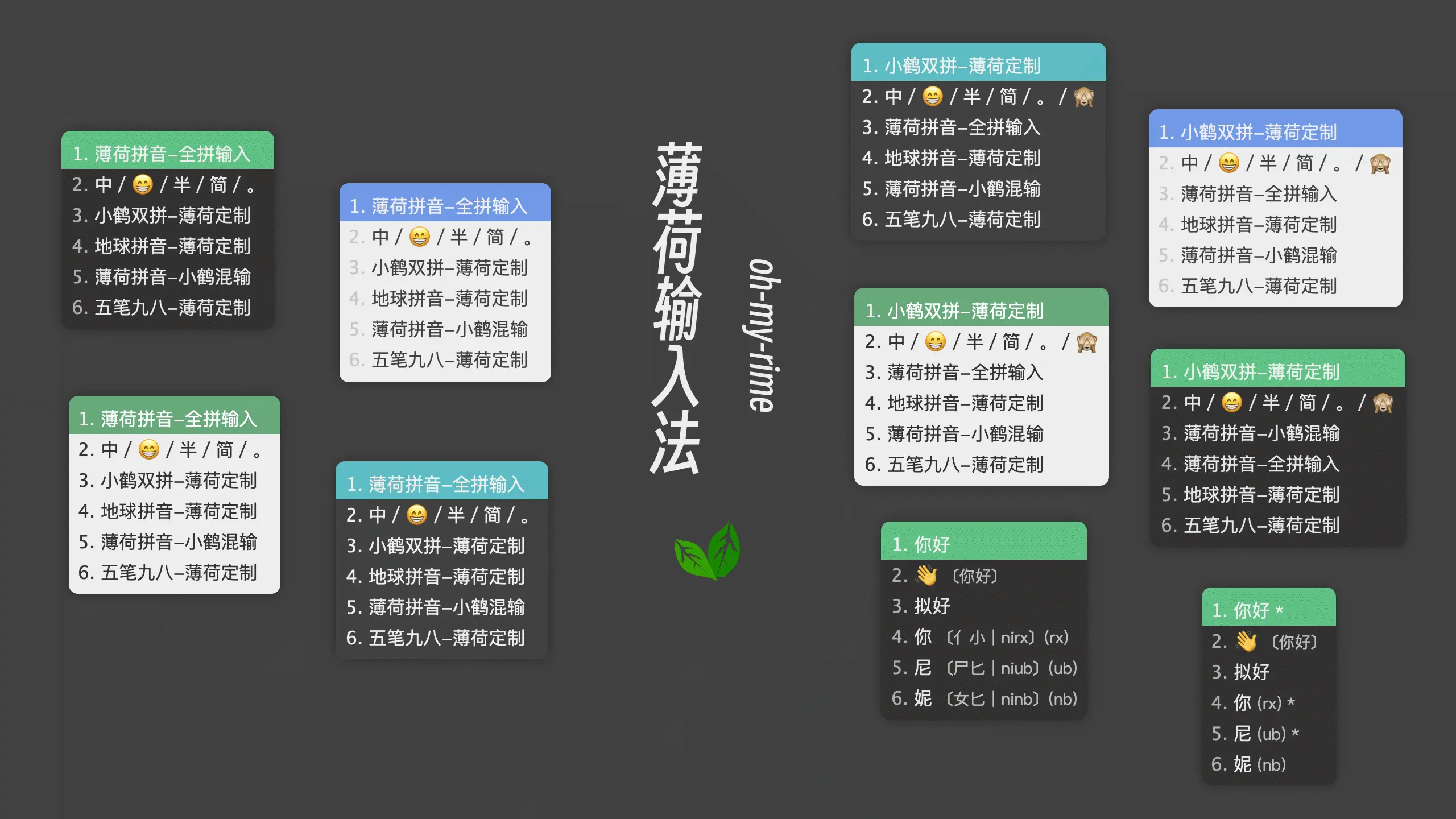
After switching, you can use Xiaohe's Double Pinyin key layout for input. The dictionary is the same as "Mint Pinyin - Full Pinyin Input" (see the translator configuration in double_pinyin_flypy.schema.yaml).
Auxiliary Code Feature Details
What is Auxiliary Code?
Auxiliary code is an "optional" Chinese character positioning mechanism. After Double Pinyin input, enter auxiliary code mode through a specific activation key (default ;), then input shape codes to filter candidates.
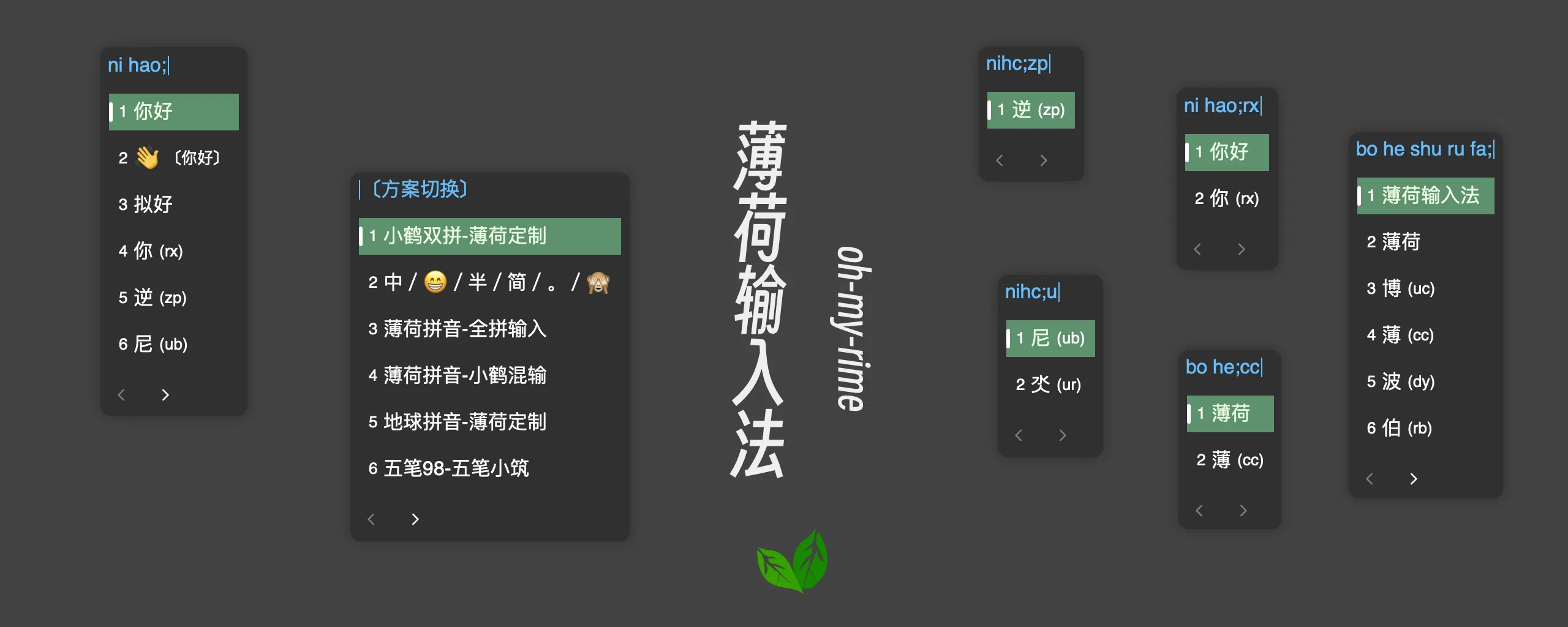
How Auxiliary Code Works
Mint implements auxiliary code functionality through a Lua filter. Core workflow:
User inputs Double Pinyin → Display candidates → Input ; to activate → Input shape code → Filter matching candidatesConfiguration Interpretation (double_pinyin_flypy.schema.yaml):
filters:
  # ... other filters ...
  - lua_filter@*auxCode_filter@flypy_full   # Xiaohe Double Pinyin Auxiliary Code (Phonetic Shape)
This configuration means:
lua_filter: Use Lua filter*auxCode_filter: Filter name (corresponds tolua/auxCode_filter.lua)@flypy_full: Auxiliary code data file (corresponds tolua/aux_code/flypy_full.txt)
Auxiliary Code Data Files
Auxiliary code files are located in the lua/aux_code/ directory, format is Character=ShapeCode:
啊=kk
阿=ek
爱=py
安=bn
Mint includes three auxiliary code schemes:
| Filename | Applicable Scheme | Description |
|---|---|---|
flypy_full.txt | Xiaohe Double Pinyin | Xiaohe Shape Code |
ZRM_Aux-code_4.3.txt | Natural Code | Natural Code Shape Code (default) |
moqi_aux_code.txt | Other Double Pinyin | Moqi Shape Code |
Auxiliary Code Configuration
# Xiaohe Phonetic Shape Configuration
aux_code:
  # Activation code
  trigger_word: ";"
  # Mode to display auxiliary code
  # always:   Always display (default)
  # trigger:  Activate auxiliary code after entering activation code
  # none:     Never display auxiliary code
show_aux_notice: "trigger"| Configuration | Options | Description |
|---|---|---|
trigger_word | Any character (default ;) | Key to activate auxiliary code mode |
show_aux_notice | always | Always display shape code hints for candidates |
trigger | Display shape code hints only after entering activation code | |
none | Never display shape code hints |
Customizing Activation Key
If the default ; key is inconvenient (e.g., Android Little Penguin Input Method's symbol keyboard doesn't process through Rime), you can override via custom.yaml:
# double_pinyin_flypy.custom.yaml
# Rime schema
# encoding: utf-8

patch:
  # Set activation key to comma
  "aux_code/trigger_word": ","
  # Let comma participate in input (add to alphabet)
  "speller/alphabet": zyxwvutsrqponmlkjihgfedcbaZYXWVUTSRQPONMLKJIHGFEDCBA~,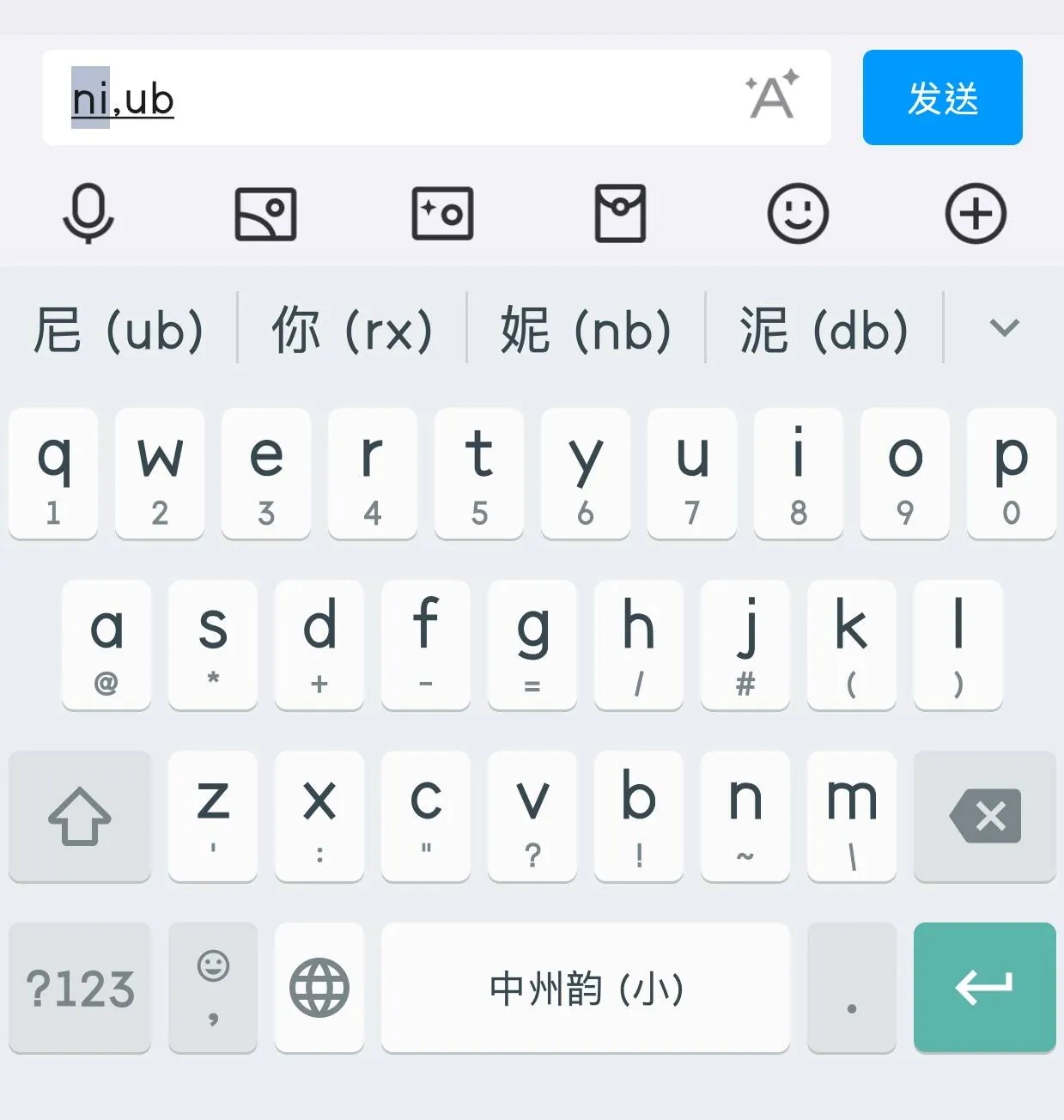
Core Code
- auxCode_filter.lua - Auxiliary code filter implementation
- Referenced from rime-lua-aux-code
Shape Code Hints (OpenCC Character Splitting)
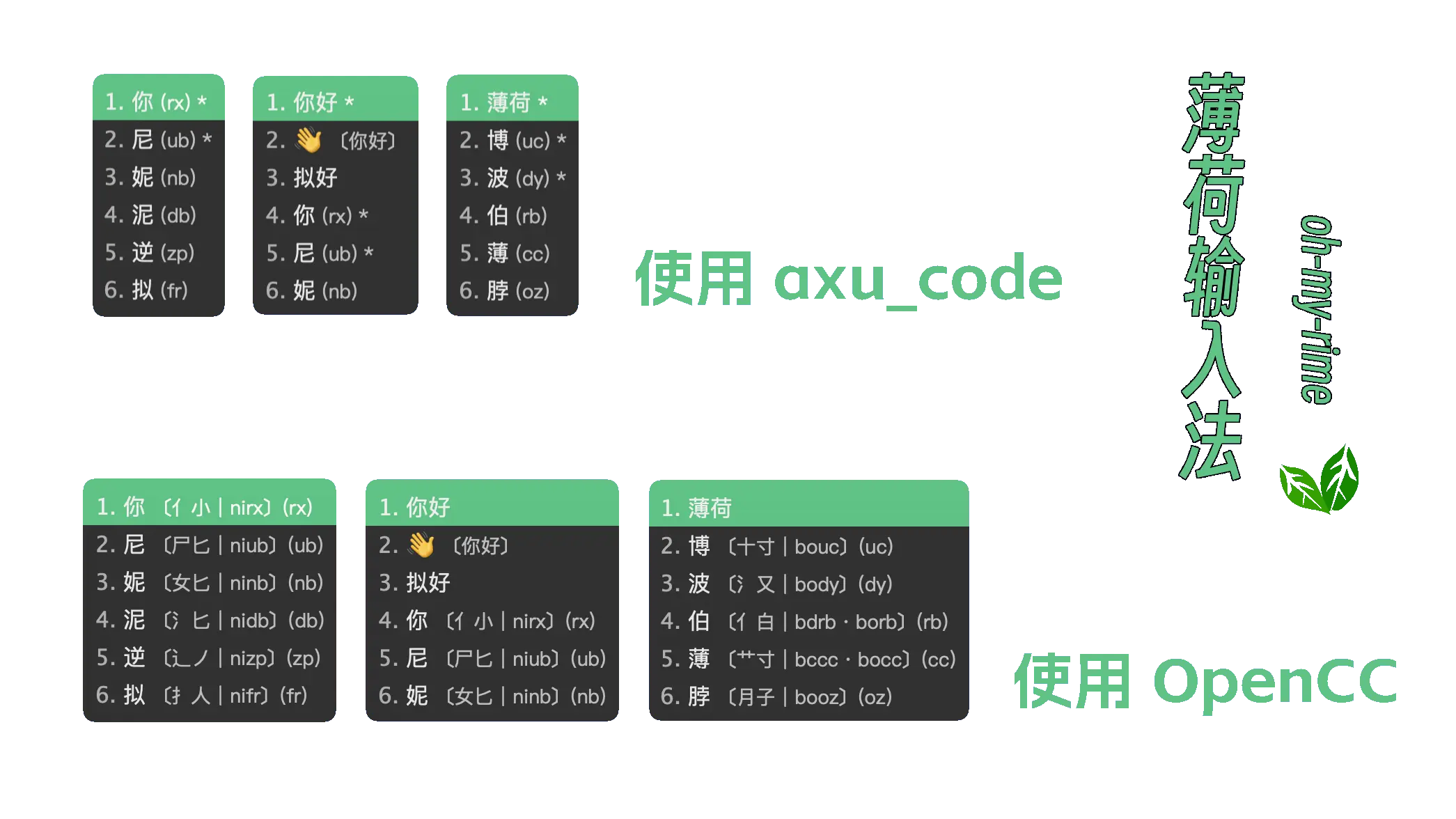
Besides auxiliary code positioning, Mint also supports displaying shape code hints through OpenCC character splitting filter:
# Crane Shape Splitting Auxiliary Filter
chaifen_cc:
  opencc_config: fly_Chaifen.json
  option_name: chaifen
  show_in_comment: true  # Whether to only display the conversion result in the comment
  comment_format:
    - "xform/ / /"
  tags:                  # Set its scope
    - abc
    - storkfly
    - reverse_lookup
  tips: char             # Add filter to single character: char; All: all
Use Ctrl+Shift+C to toggle this feature.
Note
OpenCC character splitting filter is for hint purposes only. Shape codes do not participate in actual candidate filtering. To position candidates via shape codes, please use the auxiliary code feature.
Scheme Comparison Summary
| Feature | Xiaohe Phonetics (Original) | Mint Xiaohe Double Pinyin |
|---|---|---|
| Input Method | Four-code character determination (must input shape code) | Double Pinyin + Optional auxiliary code |
| Shape Code Role | Required, for positioning | Optional, for auxiliary positioning |
| Learning Curve | Higher (need to memorize shape codes) | Lower (progressive learning possible) |
| Input Efficiency | High (precise positioning) | Flexible (use on demand) |
Mint's design allows users to:
- Beginner Stage: Use only Double Pinyin, completely ignore shape codes
- Intermediate Stage: Use auxiliary code for quick positioning when encountering homophones
- Advanced Stage: Efficient input with proficiency